Sublime Text 2 is a text editor for OS X, Linux and Windows, currently in beta.

 Improve selected item highlight from the filtered list (the one used by "Goto Anything..." / CTRL-P)
For instance, in the following image can you easily tell which item is selected?

"Close All Files" in the File menu should close all saved files first.
Alternatively, you could implement a Close All Saved Files option.

Project File Definitions
For project settings it would be nice to be able to define "files" as well as "folders". Sometime there are files that might exist outside of a directory. Rather than including an entire folder only to exclude all but one or two files it would be nice to be able to just include specific files. This could take many of the same parameters as the folders, name, path, etc. Of course the exclude patterns wouldn't make sense to include.
Example:
{
"files":
[
{
"path": "/path/to/my/file.txt"
},
{
"path": "/path/to/my/other/file.txt"
}
]
}
PS. Great work. This is an awesome project. I am hoping I can get our whole development team using it.

Prose with Ease
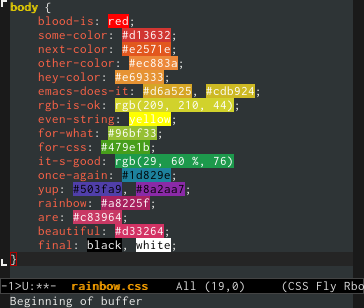
Rainbow Mode
Separation of Layout and Groups

Different font colors for matched pairs of parens

 Deleting project root folder doesn't remove it from sidebar

Goto anything doesn't support prefixing with filename if already started with symbol search
- open Goto Anything (ctrl + p)
- type a symbold search, i.e @something
- then go back and add a filename, i.e filename@something

Disable highlighting for idle splited screen
Please turn off the highlitght of the line where the cursor is set in the idle buffer
Servicio de atención al cliente por UserEcho


