Sublime Text 2 is a text editor for OS X, Linux and Windows, currently in beta.

 'Find in file" failed to find
bug in 'Find in file'
if file contains chars 0x18 or 0x19
Sublime Text 2 - skip? this file when search .....

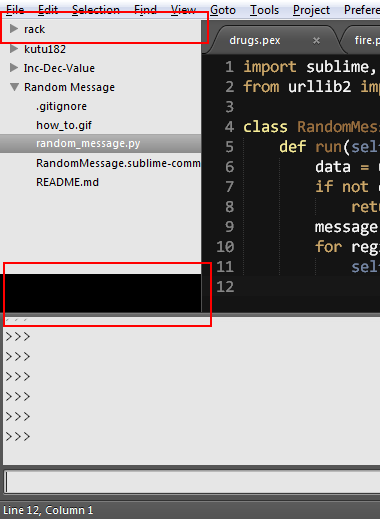
Project title not displayed when no files open

Wrapped lines behaving odd with Ctrl+Cursor Keys
Can we make Ctrl+Cursor keys or other operations treet wrapped text like every other editor does. Currently its possible to use Ctrl+Down and have a cursor placed where it thinks theres a new line when its just a continuation from the previous.
Im not sure if this is the desired functionality or not but I find it annoying from times when multi line editing many lines of text.
Great editor thanks :)

Pressing = in visual mode doesn't exit the visual mode with Vintage

Bug in snippets with conditional insert with numbers
If you have a conditional insert in a mirrored field in a snippet and it's value is starting with a number, it's not inserted. Here is an example:
view.run_command("insert_snippet", {"contents" : "snippet: ${1:}${1/(.+)?/(?1:123)/}"})
I found a workaround to fix it: just adding parens — “()” — before the number fixes it (however, I'm not sure that plain braces shouldn't be inserted, so I'd recommend using the empty conditional insert there)


Clone File pushes minimap to the left


 Better graphical design

Should have regular expression while searching for a file using Ctrl+P
When we press Ctrl+P, we can search and open the file by either giving partial or full name of the file. But I would like to open ABC*.properties file [Note: * have any characters after ABC] which seems to be not possible.
Customer support service by UserEcho